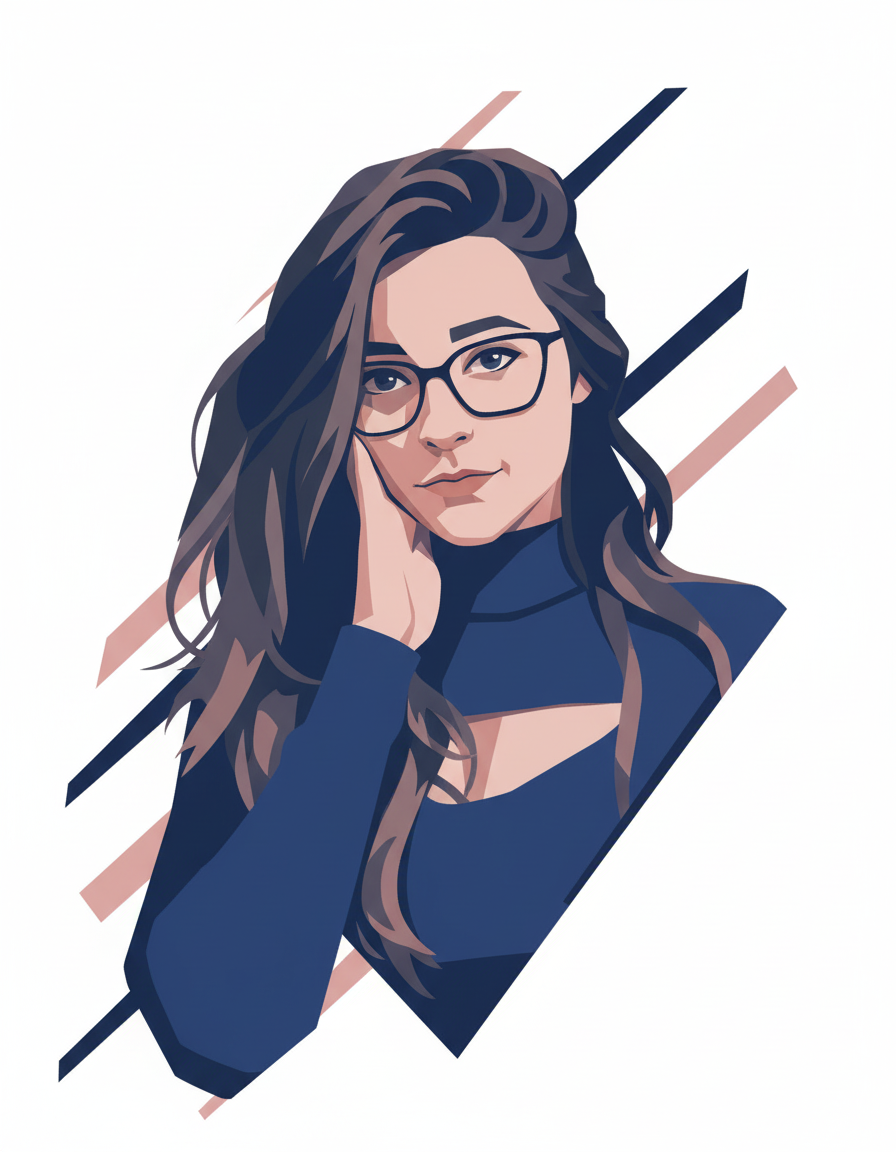
AI image generators naturally tend to add detail. If you ask for a "dog," the AI will draw individual fur strands, shadows, grass, and sky. Designing minimalist, flat vector-style graphics—popular for landing pages, avatars, and modern brand guides—requires active reduction in your prompt wording.
You must write instructions that explicitly prohibit the AI from adding depth, realistic light source gradients, and complex shapes. Here is how to achieve clean minimalist results.
1. Key Terms for Flat Design
To strip away 3D rendering elements, use graphic design terminology that specifies dimensions and formats:
- "Flat vector illustration" or "minimalist graphic design".
- "Clean geometric shapes" and "smooth vector paths".
- "Vibrant color blocks", "solid background", or "no gradients".
- "Minimal line art" or "two-tone illustration".
2. Controlling the Background: Abstract & Simple
Keep the background completely flat to isolate the subject. Incorporate geometric shapes to add structural balance:
- "Clean solid white background".
- "Simple abstract color blocks" or "pastel color bars behind the character".
- This keeps focus strictly on the subject and simulates SVG layered illustrations.
3. Character Avatar Prompt Formula
When generating developer avatars, icons, or company portraits, direct the character details toward flat representations:
Example Prompt structure: "Clean vector-style digital illustration of a young woman wearing glasses. Use flat geometric shapes, smooth minimal shading, minimal facial details, and a calm expression. White background with diagonal abstract color bars. Modern minimalist style, crisp edges."
4. Managing Shading and Depth
AI models naturally render lighting sources that produce soft highlights. To avoid this, write: "Flat colors, no realistic lighting, soft flat shadows, graphic poster style." This results in clean, scalable-looking graphics perfect for modern websites.