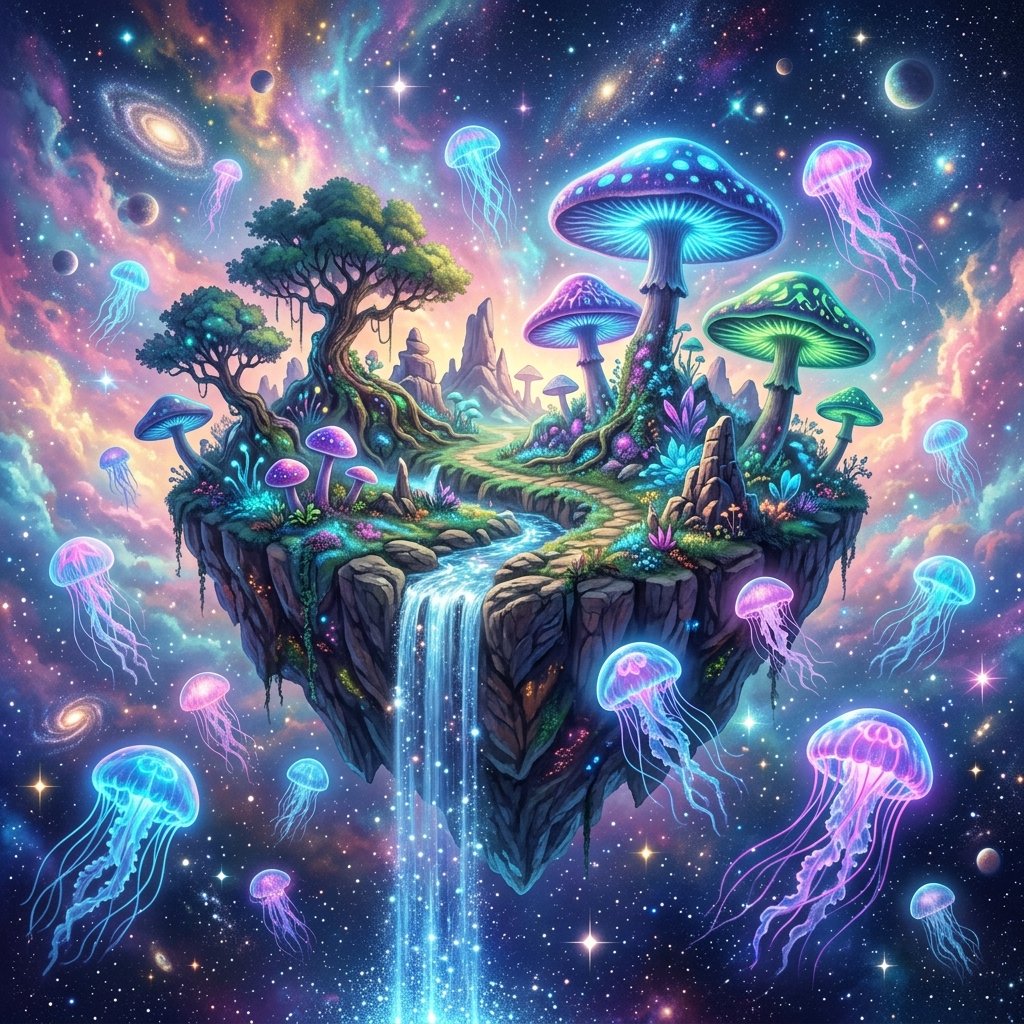
Creating vast landscapes with AI that evoke a sense of wonder requires more than just general labels. Instructing the generator on how layers of depth interact and adding cosmic lighting indicators creates high-quality environmental art.
Whether you want to generate starry backdrops, bioluminescent plants, or futuristic cities, setting up scene geometry inside your prompt is the secret. Here is the formula.
1. Establishing Depth and Framing
Static landscapes feel flat. Build a layered environment using foreground, midground, and background references:
- Foreground details: "Bioluminescent mushrooms and glowing pebbles softly blurred in the foreground". This gives immediate scale.
- Midground features: "A small sparkling waterfall flowing off the edge of a floating island". This serves as the primary visual anchor.
- Background layers: "A vast starry nebula sky in shades of deep purple and cosmic violet stretching into the distance".
2. Activating Bioluminescence
Nothing screams sci-fi landscape more than glowing details. To trigger realistic neon plants, add keywords like:
- "Glowing bioluminescent flora and neon jellyfish floating through the air".
- "Plants casting a faint neon-pink and soft blue glow onto the soil".
- "Subtle misty haze illuminated by glowing spores".
3. Describing Atmospheric Lighting
The lighting determines the realism of the scene. Avoid flat daylight. Instead, try:
- "Ethereal cosmic lighting with soft shadows and glowing highlights".
- "Diffused starlight filtering through gaseous clouds".
- "Moody cinematic backlight reflecting off wet surfaces".
4. Composition Style
Mentioning artistic mediums helps guide the aesthetic: "Dreamlike, surreal fantasy digital painting style with rich pastel nebula tones." This guides the algorithm to use rich brush textures and smooth gradients instead of sharp, synthetic digital noise.