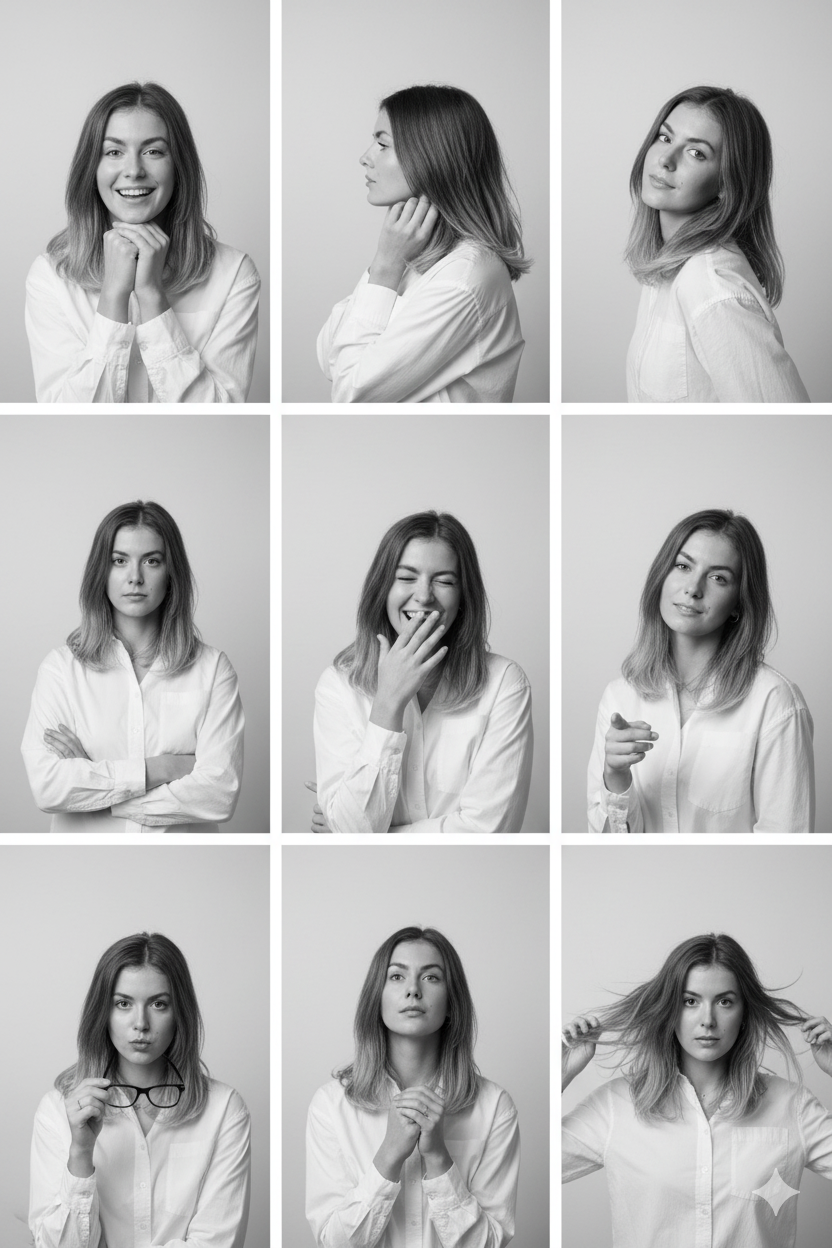
One of the largest graphic trends on platforms like Pinterest and Tumblr is the aesthetic collage—specifically multi-frame panels showing a single subject from different angles, and mock paper scrapbooks. Producing these designs in a single AI render requires writing specific layout cues.
If you don't structure your prompt correctly, the AI will try to render a single, messy image instead of a structured grid. Here are the templates and keywords to achieve perfect multi-frame grids.
1. Prompting the 9-Panel Grid (Contact Sheet)
To render the same character with different poses inside a grid layout, you should define the contact sheet grid, color styling, and pose count:
- The Grid Description: Use terms like "nine-panel contact-sheet portrait collage", "3x3 layout", or "clean white grid dividers".
- Character Consistency: Always prompt "featuring the same person/woman in nine different poses/expressions".
- Pose Variety: Describe the exact frames you want, separated by commas (e.g., "smiling, side profile, looking back, laughing, holding glasses").
2. The Polaroid instant-film frame layout
Polaroid-style frames give a retro, nostalgic vibe. To trigger these borders organically, include these layout tags:
- "Polaroid-style instant-film frame" or "thick white photo border".
- "Nostalgic family portrait style, vertical layout".
- "Slightly faded color texture with minor retro chromatic aberration".
- "Shot on a Polaroid camera, direct camera flash bloom".
3. Scrapbook and Doodled Paper Layouts
For personal branding designs (like poster layouts), simulating physical textures like paper is highly popular. Use these keywords:
- Paper Types: "Lined notebook paper", "warm beige textured paper", "torn paper notes", or "cutout sticker effect with white borders".
- Decorations: "Hand-drawn ink doodles along the margin: stars, hearts, flowers, and tiny arrows".
- Layout Composition: "Scrapbook collage aesthetic, drop shadows on paper layers, pastel accents, and handwritten headlines".